Oberheim DMX Modification for KB-1 External Tuning Box
The Electrongate KB-1 knob box for the Oberheim DMX drum machine is normally
powered using an external power supply "wall-wart" connected to the KB-1 power jack.
This modification allows the KB-1 to be powered directly from the DMX, through the
Molex connector and built-in cable, instead of using the external power jack.
The modification brings +12 volts from the DMX power supply to one of the redundant ground pins on the CV Input molex connector, which is disconnected
from gound and repurposed as a power source for the knob box.
Parts and tools required:
- Soldering iron and rosin-core solder
- Stranded, insulated wire, 28 - 22 AWG
- Heat shrink tubing or electrical tape
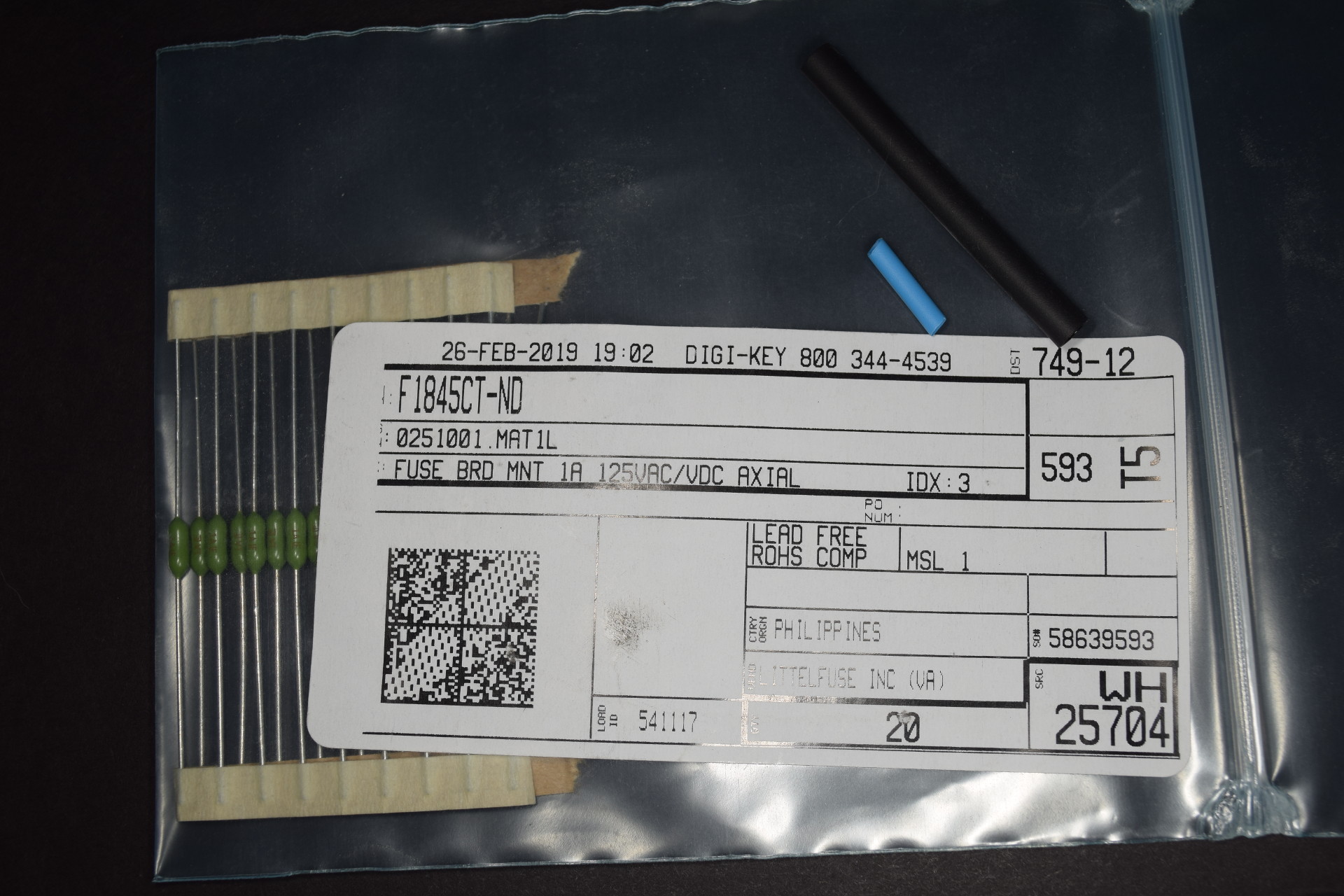
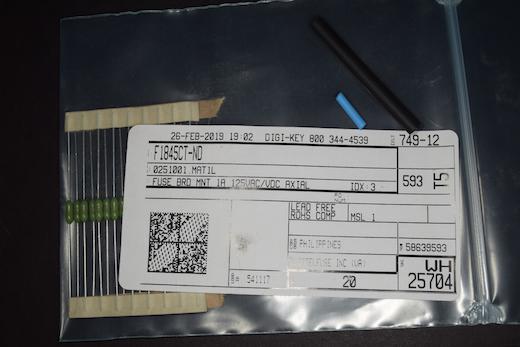
- 1 Amp fuse
- Wire cutters, wire strippers, long nose pliers.
- #2 Phillips screwdriver
- Small diagonal cutters
A fuse is used to protect the DMX power supply from accidental short circuits and third party accessories that may ground all four pins in the center
column of the Molex conector. A suitable fuse is available from DigiKey (www.digikey.com).
Modification: Step By Step
- Turn off the power and disconnect the AC power cable from the DMX.
- Remove the two screws on the front of the DMX open the cover.
- Remove the two screws on the left end panel of the DMX and temporarily
set aside the screws, washers and end panel.
- Temporarily unplug the lefthand ribbon cable from the switch board and move it aside to give access to the leftmost Molex connector.
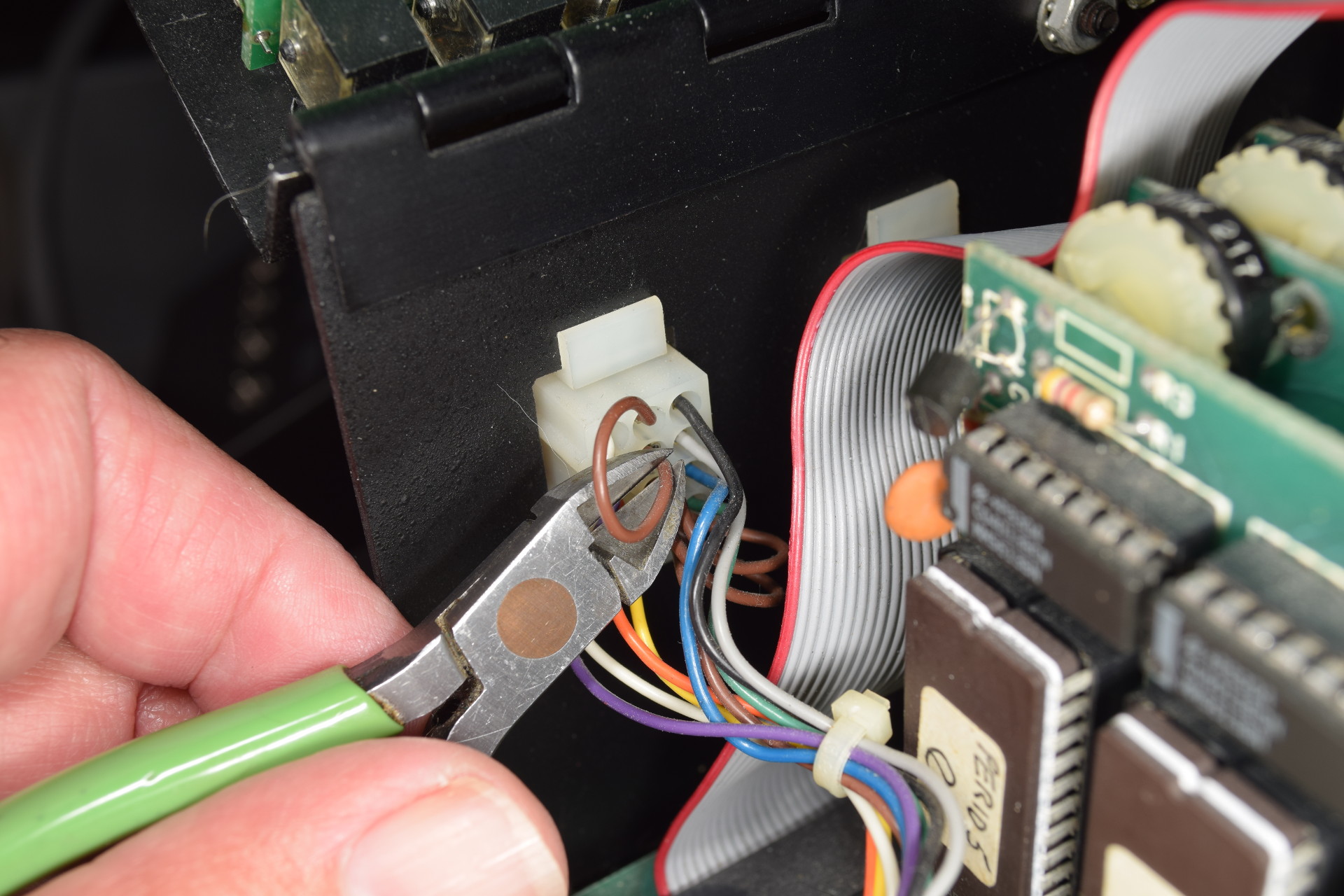
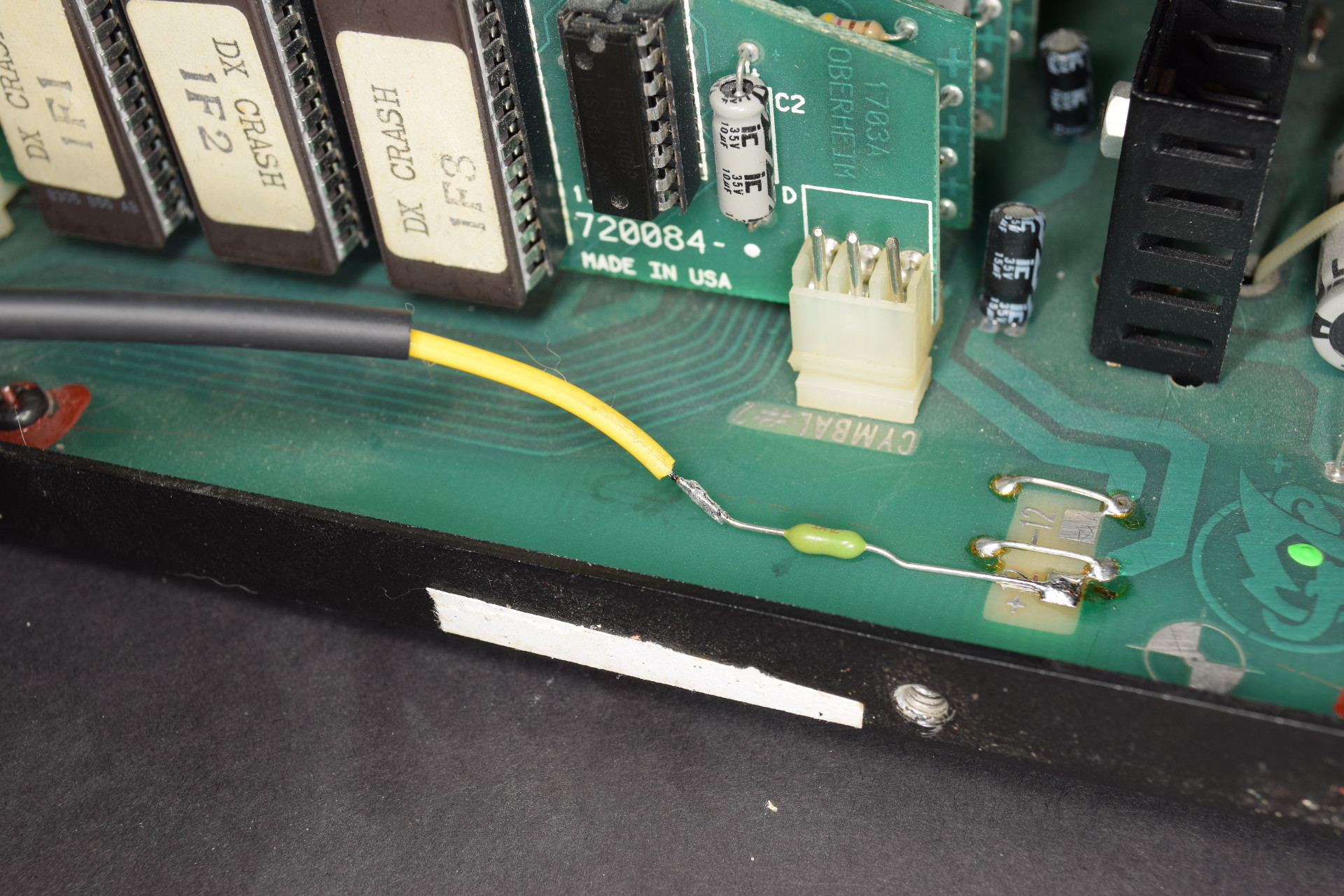
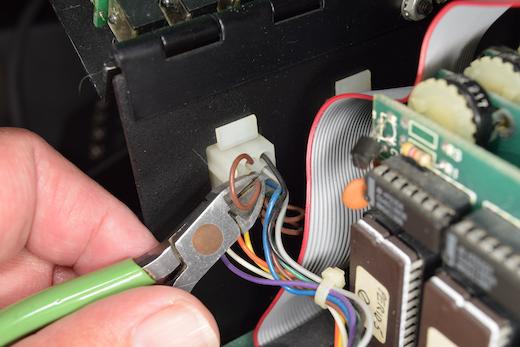
- Locate the middle, top wire on the inside of the CV input Molex connector and cut it at the lower end as shown.
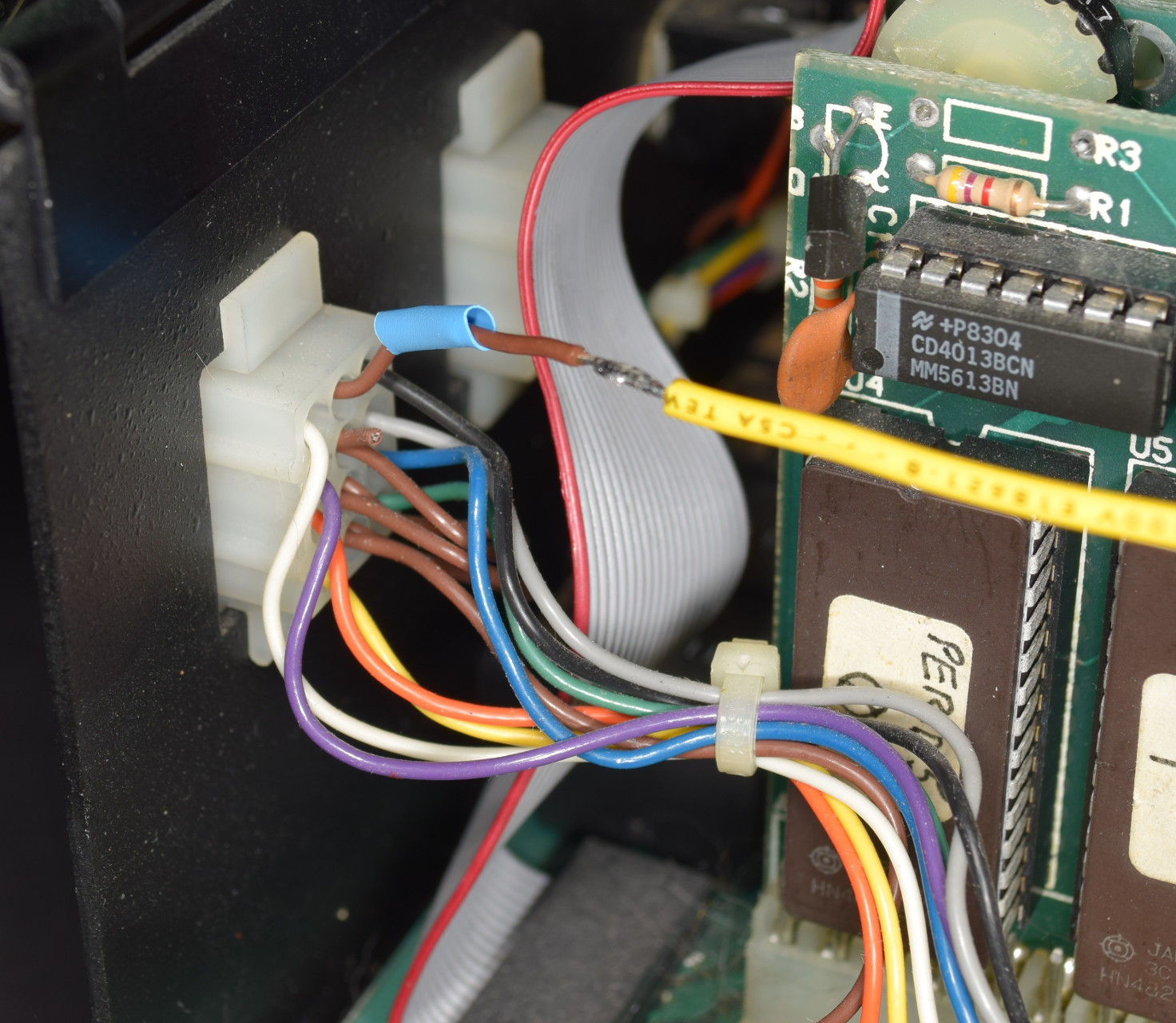
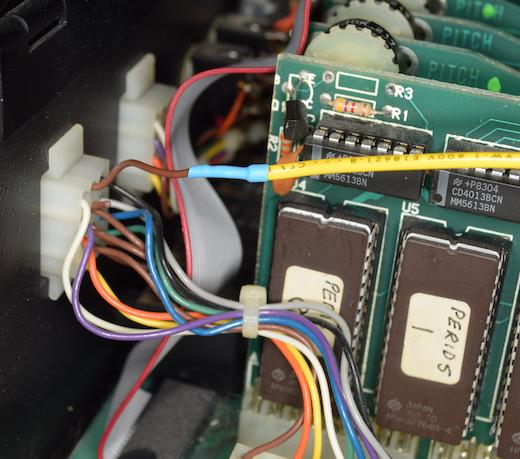
- Strip and tin the cut end of the wire. Cut an eight inch (200mm) length of wire and strip and tin both ends. Solder one end of the new wire to the
stripped end of the wire at the top, center pin of the Molex connector.
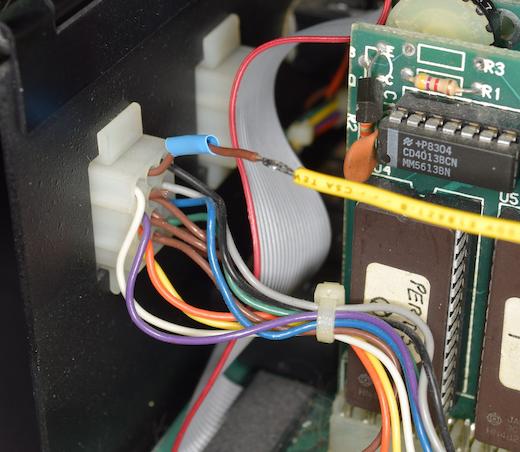
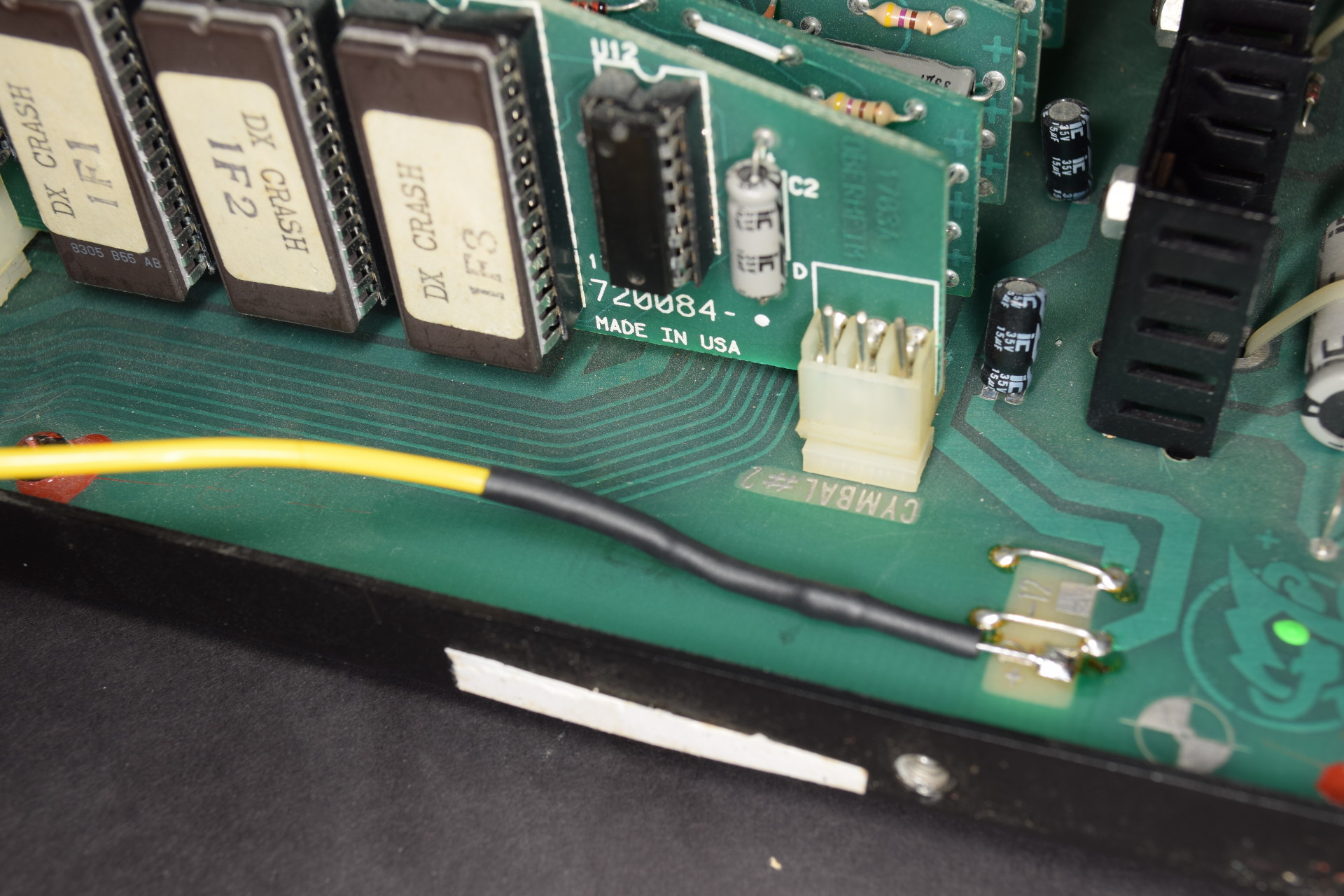
- Cover the soldered connection with a piece of heat shrink tubing, or wrap with electrical tape.
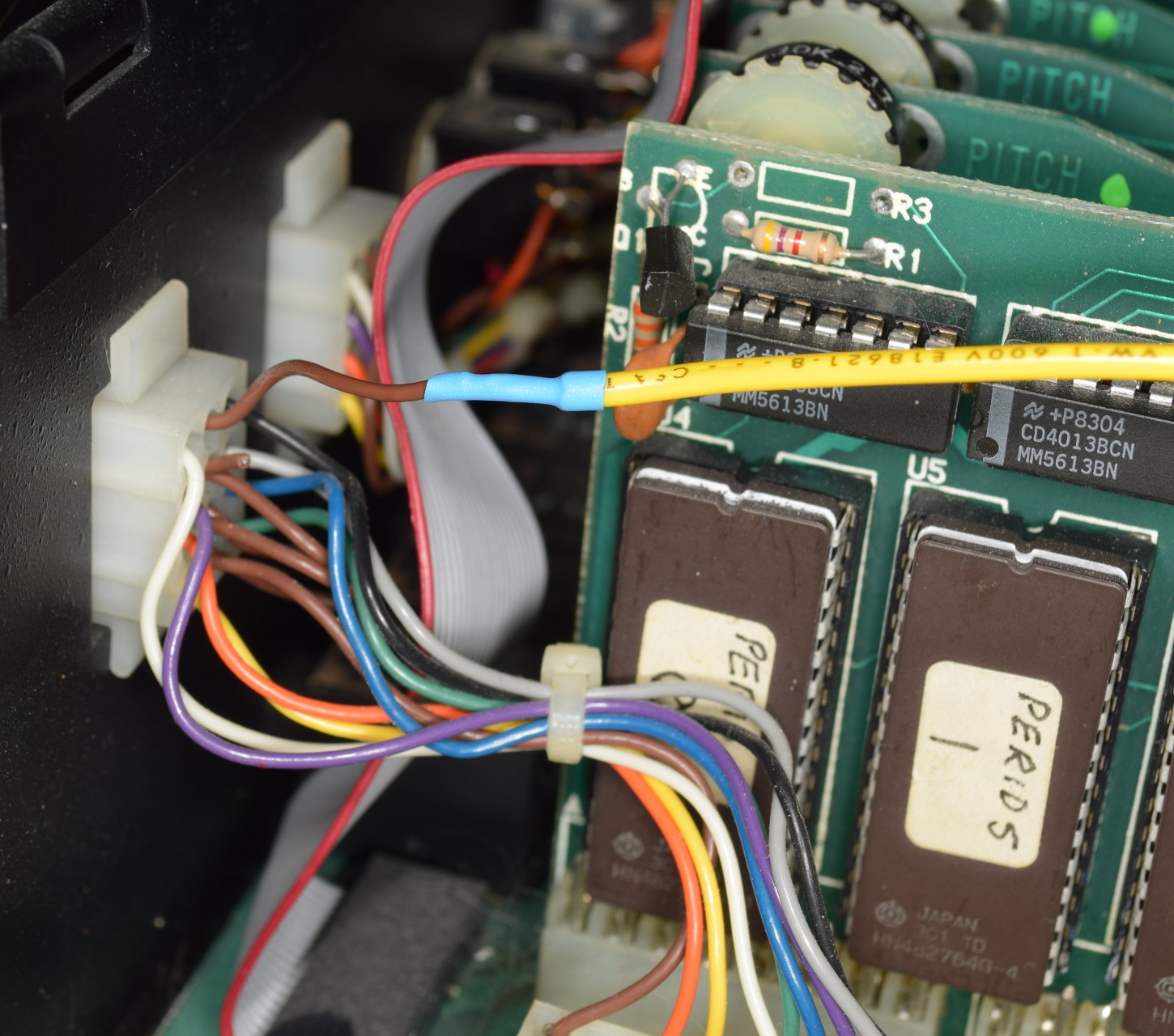
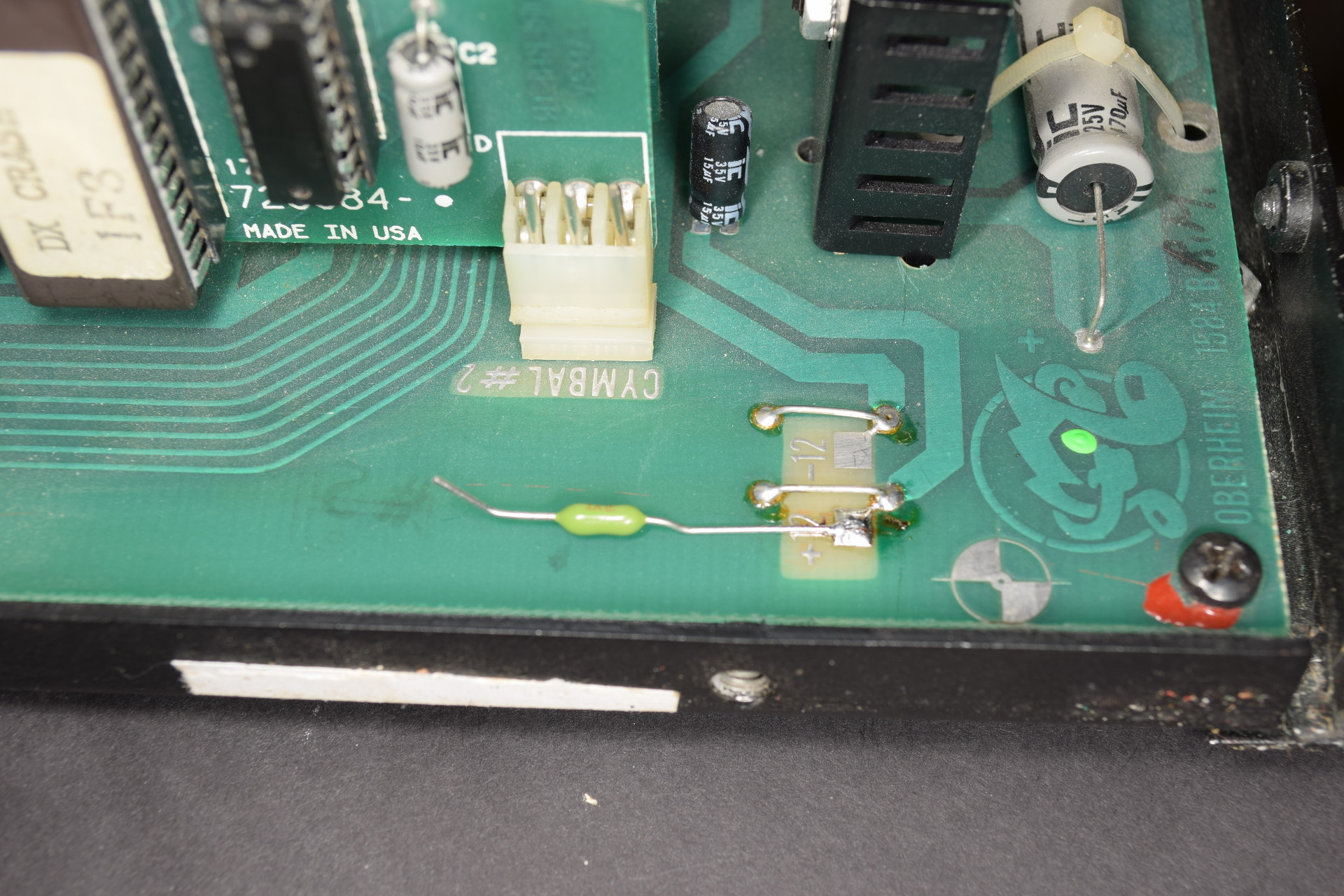
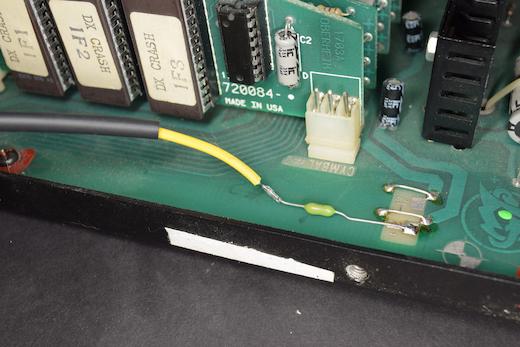
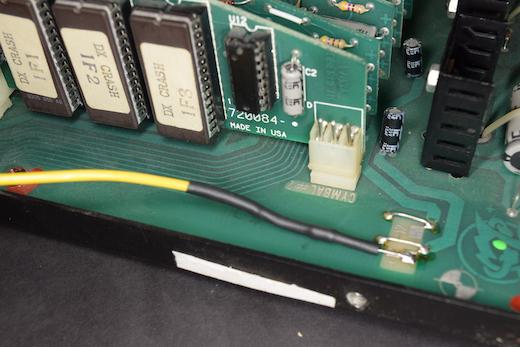
- Trim and shape the leads on a fuse as shown (Digikey.com part number F1845CT-ND) and solder one end to the +12 V test pad on the DMX main board.
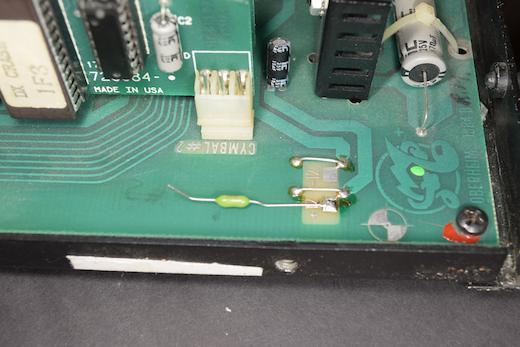
- Solder the other end of the new wire to the other end of the fuse and cover the soldered connection and fuse with heat shrink tubing or wrap with
electrical tape.
- Tidy up the wire, taping it down if necessary, and re-plug the front panel ribbon connector and replace the end panel.
- Plug in your KB-1 knob box to the CV input connector and power up the DMX. If you have an external power supply plugged into the KB-1, remove it now.
The light on the KB-1 should light up if everything is correct.
Troubleshooting
In case there is a problem with the installation, check for the following common problems.
| Symptom | Possible problems/solutions |
|---|
| No power to KB-1 |
- Fuse blown? Check continuity of the fuse and replace if open circuit
- Re-check wiring.
|
| DMX not working properly |
- Make sure that all cables are reconnected after modification.
- Make sure power cable is reattached and plugged in.
|
For further assistance, contact Electrongate by email.